 ShopSheets
See what still needs to ship.
Track unfulfilled Shopify orders in Google Sheets. New orders and fulfillment changes sync automatically, so your team can work from the same view.
7 days free, then $9.99/month. Install from the Shopify App Store.
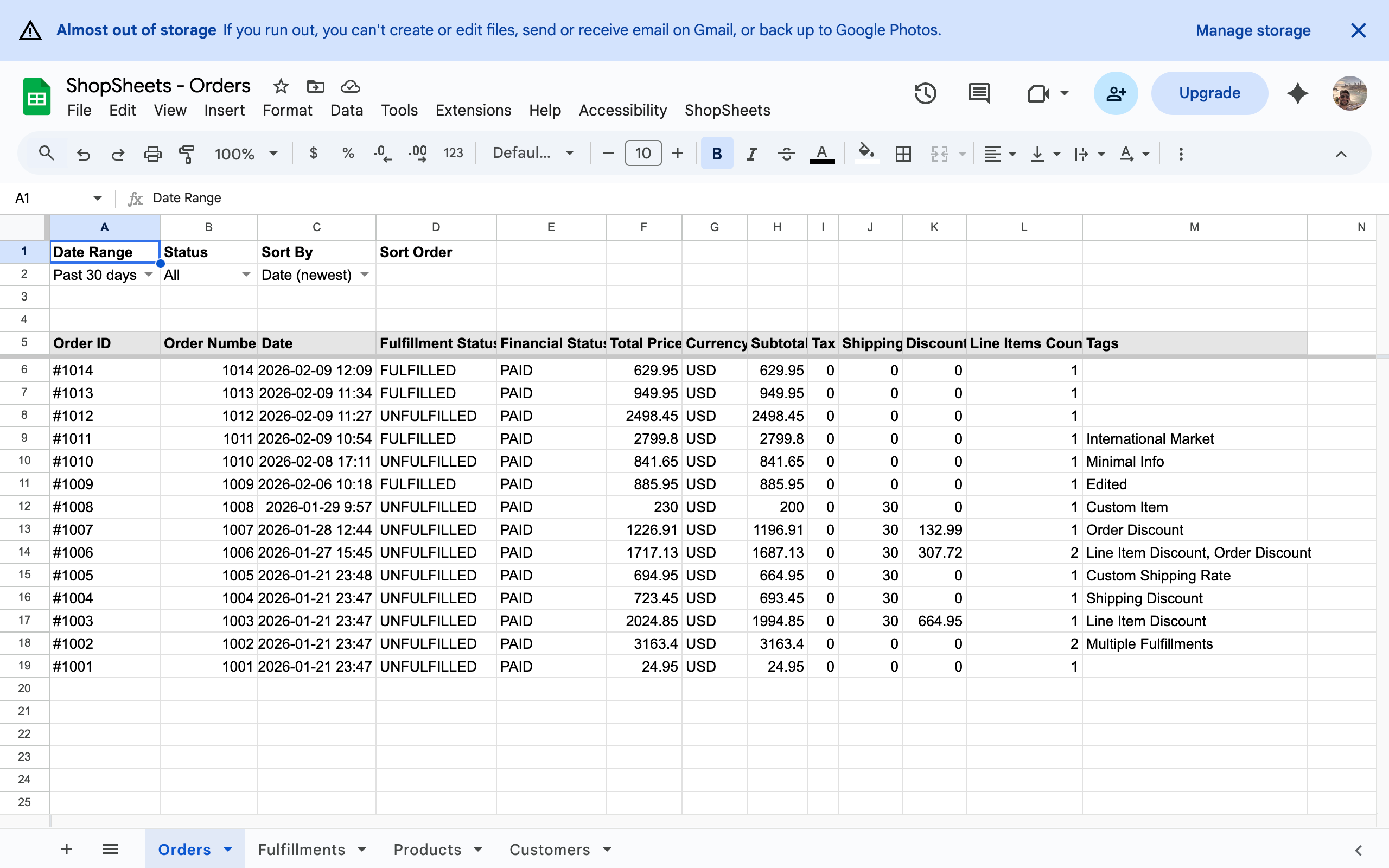
Build your daily shipping view.
Give your team one place to check which orders still need fulfillment.
Connect your store
Install ShopSheets and connect Google. The app creates your Orders sheet. Choose your date range in row 2, then refresh from the app.
Focus on unfulfilled orders
Create a Google Sheets filter view for A5:M, starting with the header row. Filter Fulfillment Status to UNFULFILLED and save the view.
How to create a filter viewShare the view with your team
Open the same view for your daily order check. As orders are fulfilled in Shopify, their status updates automatically in the sheet.
Sales reports and catalog checks, too
Use your synced orders for sales reporting, or review products and inventory in the Products tab. Full order history is available once your store grants access. Change the date range to All time and refresh from the app; reconnect if prompted. Explore sync and filters.
Simple, transparent pricing
One plan. Everything included. No feature gating, no hidden fees.
- One spreadsheet
- Real-time sync
- Orders, products & fulfillments
- Full order history with permission
- Filter & sort data